
Quick answer
Open the QRmakerX Text QR Code Generator, enter the exact message you want people to see, customize the design, create the code, scan-test it, and download PNG, SVG or PDF.
What is a text QR code?
A text QR code is a scannable code that stores plain text directly inside the QR pattern. After scanning, a compatible phone or scanner displays the message. It does not need to open a web page.
This makes text QR codes useful for short instructions, equipment labels, product notes, event information, learning activities and other messages that should remain available even when internet access is poor.
How does a text QR code work?
The generator converts letters, numbers, spaces and line breaks into encoded data. That data is arranged into the black-and-white QR pattern. A scanner reads the pattern, decodes the data and displays the original text.
Because the message is stored directly in the code, the pattern becomes denser as more text is added. A dense code may require a larger printed size and better scanning conditions.
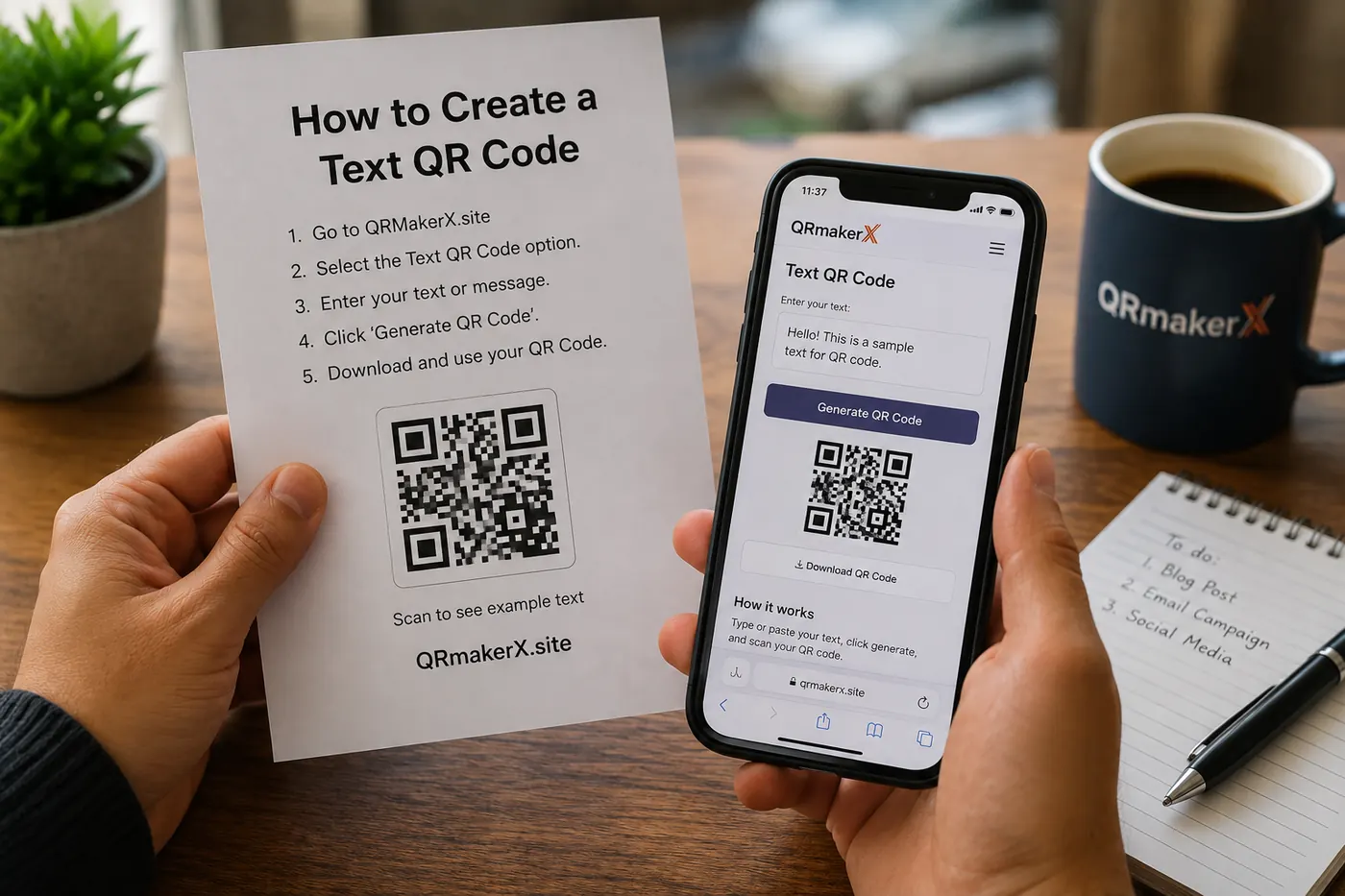
How to create a text QR code
Open the text QR generator
Go to the free Text QR Code Generator.
Enter your text
Type or paste the exact message that should appear after scanning. Check spelling, punctuation, numbers and line breaks.
Customize the design
Choose a dark foreground, a light background, a suitable download size and an optional small logo.
Create the QR code
Select Create Text QR Code and review the on-screen preview.
Scan and verify the message
Test the final QR code with more than one phone. Confirm that the exact text appears and every line is readable.
Download the correct format
Use PNG for common digital use, SVG for scalable printing, or PDF for a simple print-ready document.
What can a text QR code contain?
A plain-text QR code can contain letters, numbers, punctuation, symbols and multiple lines. It is suitable for content such as:
- Short product instructions
- Equipment operating or safety notes
- Event directions or announcements
- Classroom questions and learning activities
- Ingredients, warnings or packaging notes
- Personal greetings or short offline messages
Example message
Date: 5 August 2026
Time: 10:00 AM
Please arrive 10 minutes early.
Should you use a text QR code or a URL QR code?
| Use a text QR code when... | Use a URL QR code when... |
|---|---|
| The message is short and should display directly. | The content is a webpage, PDF, online form, video or cloud file. |
| You want the message to work without internet access. | You need to update the online content while keeping the same destination link. |
| The content does not need buttons, images or formatting. | The content needs images, navigation, downloads or a full layout. |
If the goal is an action rather than simply displaying text, use a dedicated type. An Email QR Code can prepare an email draft, a Phone QR Code can open the dialer, and a WhatsApp QR Code can open a WhatsApp conversation.
How much text should you put in a QR code?
A QR code can technically store a considerable amount of text, but that does not mean a long message is practical. More characters create a denser pattern, which may become harder to scan when printed small.
For reliable everyday use, keep the message as short as possible. Remove unnecessary sentences, repeated wording and long web addresses. When the information is long, publish it on a webpage or in a PDF and use a URL QR code instead.
Useful ways to use a text QR code
Product instructions
Show short setup, care or operating instructions directly after scanning.
Equipment labels
Add a safety note, inspection reminder or maintenance instruction.
Events
Share directions, schedules, entry notes or a short welcome message.
Education
Provide hints, answers, revision notes or classroom activities.
Packaging
Display ingredients, warnings, recycling information or batch notes.
Offline notices
Share a message where mobile data or WiFi may not be available.
Best practices for a reliable text QR code
- Use short, clear and accurate wording.
- Check every number, date and spelling before printing.
- Use a dark QR pattern on a light background.
- Keep a clear quiet zone around the complete code.
- Do not make a logo too large.
- Use SVG or a high-resolution PNG for professional printing.
- Test the exact downloaded file, not only the browser preview.
- Test at the final printed size and viewing distance.
For camera instructions and common scanning problems, read How to Scan a QR Code on Android and iPhone.
Common mistakes to avoid
Adding too much text
A long message makes the pattern dense. Shorten it or move the information to a webpage or public document.
Using weak color contrast
Pale foreground colors or a dark background can reduce scanning reliability. Use strong contrast.
Printing the code too small
Dense codes need more physical space. Make the final code larger and test it before producing many copies.
Expecting to edit the printed message later
A static text QR code cannot be changed after printing. Create a new code whenever the message changes. For a broader explanation of editability, redirects and tracking, see Static vs Dynamic QR Codes.
Should you download PNG, SVG or PDF?
PNG: useful for websites, presentations, documents, labels and social media.
SVG: best for professional layouts, packaging, signs and large printing because it remains sharp when resized.
PDF: useful for convenient sharing and ordinary print workflows.
Privacy and safety considerations
Anyone who scans a public text QR code can read its message. Do not encode passwords, private account details, personal identification numbers, confidential instructions or sensitive personal information.
QRmakerX creates the static code in the browser and does not need to create a QRmakerX redirect for the text. You are responsible for reviewing the message and deciding where the code is displayed.
Text QR code frequently asked questions
What is a text QR code?
It is a QR code that stores plain text directly inside the pattern. The scanner displays the message without opening a website.
Does a text QR code need internet access?
No. Because the text is stored directly in the QR code, it can normally be read without an internet connection.
Can it contain multiple lines?
Yes. You can include line breaks, although shorter content generally produces an easier-to-scan pattern.
Can I change the text after printing?
No. A static text QR code must be regenerated and reprinted when the encoded message changes.
Can I use it for a PDF or book?
Use a URL QR code instead. Upload the PDF or book to a public online location, then encode its public link.