
What Is a QR Code?
QR stands for Quick Response. A QR code is a two-dimensional barcode made from black and white squares arranged in a larger square pattern.
Unlike a traditional barcode, which is normally read from one direction, a QR code stores information both horizontally and vertically. This allows it to hold more information and makes it easier for cameras to read from different angles.
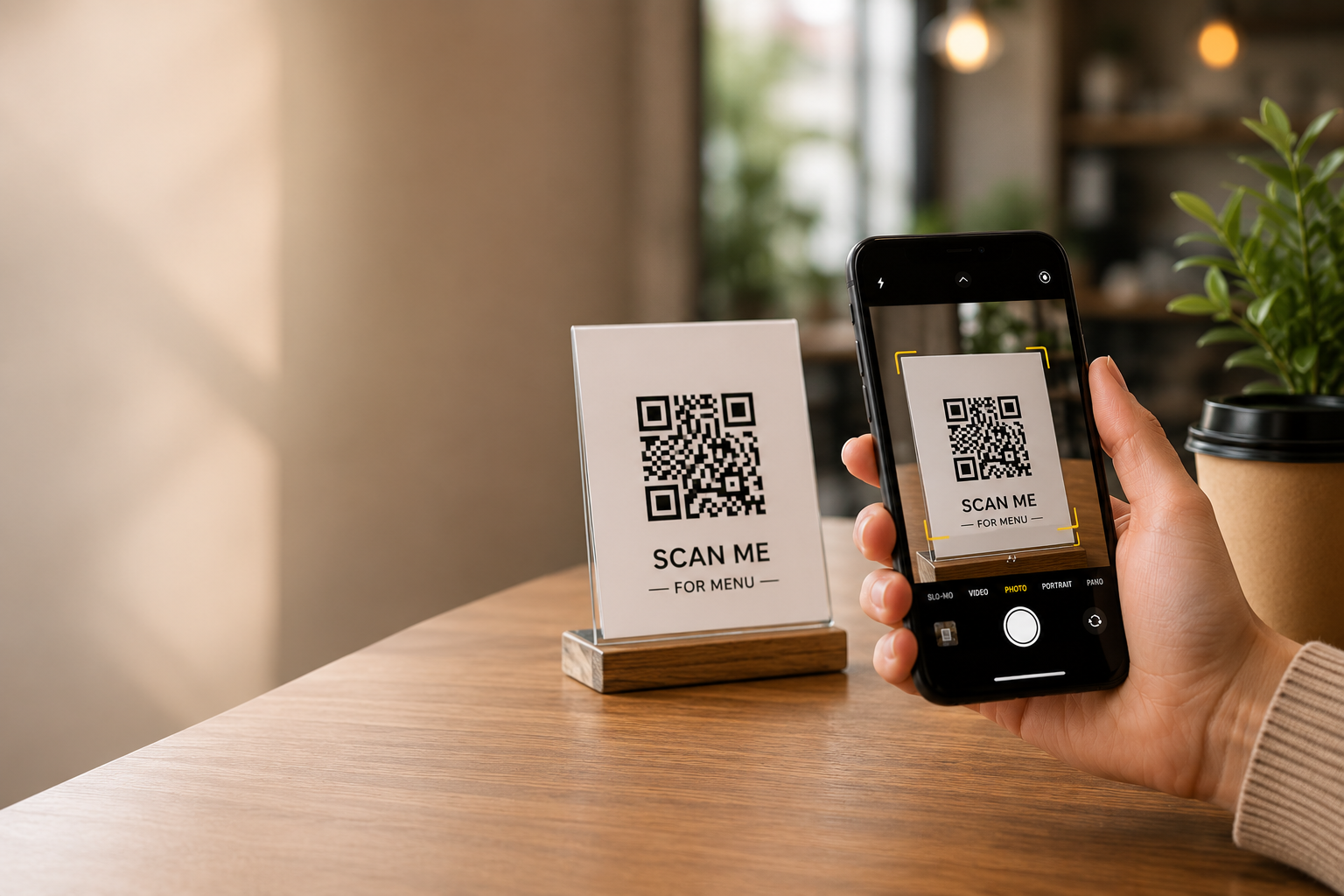
QR codes are commonly scanned using a smartphone camera. After the camera recognizes the pattern, the phone may display a website link, contact details, WiFi information, or another action.
QR Code vs Traditional Barcode
A traditional one-dimensional barcode stores data mainly across horizontal bars. A QR code stores data across both directions in a square grid, which allows it to hold different types of information and be read from several orientations.
Traditional barcodes are widely used for product and inventory identification. QR codes are often used when a phone needs to open a link, display text, save contact details, join WiFi, or trigger another digital action. You can also create common one-dimensional formats with the free Barcode Generator.
How Does a QR Code Work?
A QR code converts information into a pattern of small square modules. A QR scanner or smartphone camera reads this pattern and translates it back into usable information.
The three large square markers found in the corners help the scanner identify the code's position and orientation. Other parts of the pattern contain the actual data, alignment information, and error correction.
Basic scanning process
- The camera detects the QR code.
- The scanner identifies the three corner markers.
- The software reads the square pattern.
- The pattern is converted back into text or another data type.
- The device shows the result or asks you to open it.
Error correction allows many QR codes to remain readable even when a small part is scratched, dirty, or covered. However, excessive damage or poor printing can still prevent successful scanning.
What Information Can a QR Code Store?
QR codes can store many types of information. The most common include:
- Website URLs
- Plain text
- WiFi network names and passwords
- Email addresses and pre-written messages
- Phone numbers
- SMS messages
- Contact cards or vCards
- Calendar event details
- Map locations
- Social-media profile links
- Payment or checkout links
- Download links for files
The code does not always contain the full content itself. For example, a QR code used for a PDF file usually contains a web link where the file can be opened or downloaded.
How to Scan a QR Code
Most recent smartphones can scan QR codes directly from the Camera app.
On an iPhone
- Open the Camera app.
- Point the camera at the QR code.
- Keep the entire code visible on the screen.
- Tap the notification that appears.
On an Android phone
- Open the Camera app.
- Point it at the QR code.
- Tap the link or action shown on the screen.
Some Android phones may require Google Lens or a QR scanning option in the camera settings.
Static vs Dynamic QR Codes
QR codes are often divided into two broad types: static and dynamic.
| Feature | Static QR Code | Dynamic QR Code |
|---|---|---|
| Where information is stored | Directly inside the QR code | Usually through a redirect link |
| Can the destination be changed? | No | Often yes |
| Requires a QR provider to keep working? | No | Usually yes |
| Analytics available? | Normally no | May include scan analytics |
Static QR codes are useful when the information will not change, such as a WiFi password, contact card, or permanent website address.
Dynamic QR codes are more suitable when the destination may need to be edited later or when scan statistics are required.
Common Uses of QR Codes
Sharing website links
A QR code can help users open a webpage without typing a long address. This is useful on posters, product packaging, signs, and business cards.
WiFi access
A WiFi QR code can contain the network name, security type, and password. Guests can scan it instead of entering the details manually.
You can create one using the free WiFi QR Code Generator.
Business cards
A vCard QR code can help someone save a name, phone number, email address, and company information directly to their contacts.
Restaurants and menus
Restaurants may place QR codes on tables so customers can open a digital menu. Businesses should keep the linked menu updated and make sure the page works well on mobile devices.
Events
QR codes can contain event dates, times, locations, and descriptions. They may also link to registration pages or digital tickets.
Payments
A QR code may contain a payment or checkout link. Users should confirm the recipient and website before approving any payment.
Are QR Codes Safe?
The QR code format itself is not harmful. The risk comes from the information or link stored inside it.
A misleading QR code could send a user to a fake website, download page, or payment request. For this reason, users should be cautious when scanning codes from unknown or suspicious sources.
QR code safety tips
- Read the destination preview before opening the link.
- Check the website domain for misspellings or unusual endings.
- Do not enter passwords on an unfamiliar website.
- Confirm payment details and the recipient before sending money.
- Avoid downloading unknown files.
- Be cautious if a sticker appears placed over another QR code.
- Keep your phone, browser, and security features updated.
How to Create a QR Code
Creating a basic QR code normally takes only a few steps:
- Choose the type of information you want to encode.
- Enter the website, text, contact details, or other information.
- Generate and preview the QR code.
- Download it in a suitable format.
- Test the code before printing or sharing it.
QRmakerX creates static QR codes for URLs, text, WiFi, contact details, email, phone numbers, WhatsApp, locations, payment links, social profiles, and calendar events. Static codes do not include scan tracking or post-print destination editing.
Create Your Own QR Code
Use QRmakerX to generate a free QR code and download it for personal or commercial use.
Open the Free QR Code GeneratorFrequently Asked Questions
What does QR code mean?
QR code means Quick Response code. It was designed to store information that could be read quickly by a scanner.
Do QR codes expire?
The pattern of a static QR code does not expire. However, a website, file, menu, or other destination opened by that code can be moved, removed, or become unavailable. Dynamic QR codes also depend on the redirect service behind them.
Can I create a QR code for free?
Yes. QRmakerX allows users to create basic static QR codes without registration.
Can a QR code contain a password?
Yes. For example, a WiFi QR code may contain a network password. Remember that anyone who scans or decodes the QR code may be able to read the stored information.
Do QR codes require an internet connection?
Scanning can reveal text or locally stored data without opening the internet. A QR code that points to a website, online menu, map, payment page, or downloadable file normally requires an internet connection to open that destination.
Can I use QR codes commercially?
You may use a generated QR image in business materials, but you remain responsible for the destination content, logos, trademarks, payment requirements, and any laws or platform rules that apply to your use.
How this guide was reviewed
The QRmakerX Editorial Team checked this guide against the current behaviour of QRmakerX's static generator and common smartphone scanning workflows. Device, camera, browser, printer, and scanner behaviour can vary, so test any QR code in the environment where it will actually be used.