
Quick answer
Open the QRmakerX Phone QR Code Generator, enter the complete phone number, create the QR code, scan-test it, and download it as PNG, SVG or PDF.
What is a phone number QR code?
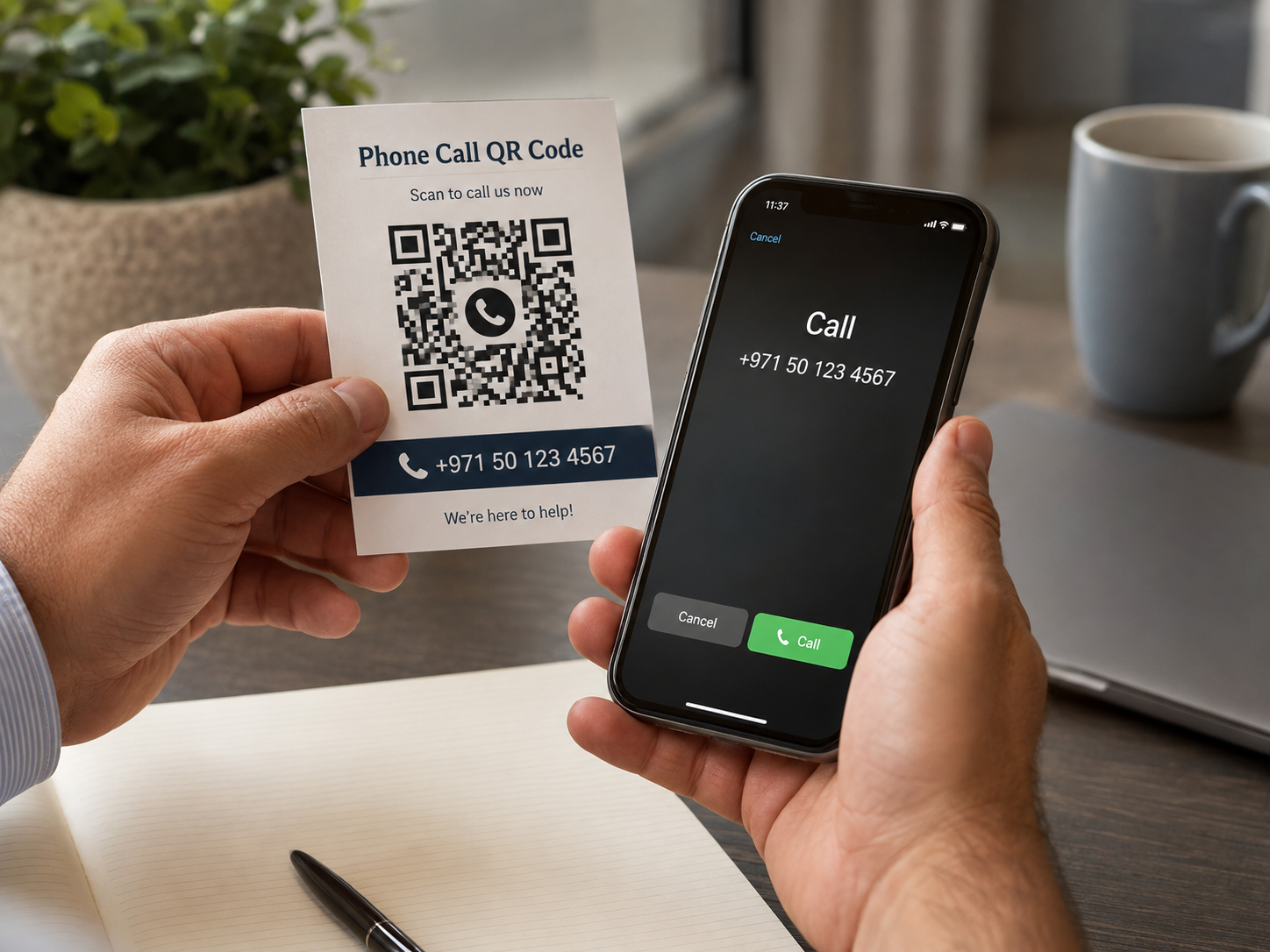
A phone number QR code is a scannable pattern containing a telephone link. When a compatible smartphone scans it, the device normally opens the phone dialer with the encoded number already entered.
This type of QR code is also called a call QR code, telephone QR code or scan-to-call QR code. It is useful when you want to reduce typing and make a published contact number easier to use.
How does a call QR code work?
The generator places the number inside a standard telephone link beginning with tel:. For example, the number +971501234567 becomes tel:+971501234567.
When the code is scanned, the phone recognizes the telephone link and offers to open its dialer. Exact behaviour can vary by device, camera application and QR scanner, which is why testing the final code is essential.
How to create a QR code for a phone number
Open the phone QR generator
Go to the free Phone QR Code Generator.
Enter the complete number
Type the number with a plus sign and country code whenever possible.
Choose the QR code design
Select readable foreground and background colors. You may also add a small logo.
Create the QR code
Click the create button and check that the preview appears correctly.
Scan-test the preview
Scan it with a phone and confirm the correct number appears in the dialer. Do not place the call unless you intend to.
Download the required format
Choose PNG for everyday digital use, SVG for scalable professional artwork, or PDF for a convenient printable document.
Use the correct phone-number format
The international format is the safest choice when the code may be scanned by people using phones from different countries. Begin with a plus sign, add the country code, and then enter the remaining number.
Example
Spaces, brackets and hyphens may make a displayed number easier to read, but the generator removes common formatting characters when it creates the telephone link.
Where can a phone QR code be used?
Business cards
Help customers or professional contacts prepare a call to your published business number. See our QR codes for business cards guide for placement and printing advice.
Product packaging
Add a customer-service or technical-support number to a box, label or instruction sheet.
Posters and signs
Provide a scan-to-call option for enquiries, bookings or service requests.
Property listings
Allow interested buyers or tenants to contact the listed agent more easily.
Events
Share an organizer, registration desk or authorized support number.
Invoices and quotations
Give customers a simple way to call an accounts or sales contact.
Phone QR code or vCard QR code?
| Choose this type | Best when |
|---|---|
| Phone QR code | The main action should be opening the dialer with one telephone number. |
| vCard QR code | People should save a full contact containing a name, company, phone, email and other details. See the vCard QR code guide for a full walkthrough. |
| WhatsApp QR code | The main action should be opening a WhatsApp conversation rather than the normal dialer. |
Use the simplest QR type that matches the action you want the scanner to take. A phone QR code is best when calling is the only important action.
Design and printing tips
- Use a dark QR pattern on a light background.
- Keep a clear empty margin, called the quiet zone, around the code.
- Do not stretch, crop or heavily compress the downloaded image.
- Keep an added logo small and centered.
- Print the code large enough for the expected scanning distance.
- Add a clear instruction such as “Scan to call.”
- Place the phone number in readable text near the QR code as a backup.
How to test a phone QR code
- Scan the on-screen preview using a phone camera.
- Confirm that the phone dialer opens.
- Check every digit, including the country code.
- Download the final PNG, SVG or PDF.
- Scan the downloaded file again.
- Print a sample at the planned size and scan it under normal lighting.
- Where possible, test on both Android and iPhone.
Do not rely only on the generator preview. The final printed material may use different dimensions, paper, colors or image compression. If you need scanner instructions or help with common scanning problems, read How to Scan a QR Code on Android and iPhone.
Common phone QR code mistakes
Leaving out the country code
A local-format number may not work as intended for every scanner. Use the international format when the audience is not limited to one country.
Publishing the wrong or inactive number
Check that the number is correct, active and monitored before printing large quantities.
Using poor color contrast
Similar foreground and background colors can make the code difficult to scan.
Making the code too small
A small or dense code may fail when printed, viewed from a distance or scanned with an older camera.
Expecting to edit a static code later
A static phone QR code stores the number directly. When the number changes, create and print a new code. For a broader comparison of editability, tracking and use cases, see Static vs Dynamic QR Codes.
Should you download PNG, SVG or PDF?
| Format | Recommended use |
|---|---|
| PNG | Websites, social media, email signatures, documents and standard office printing. |
| SVG | Large signs, professional graphic design, packaging and artwork that must scale without becoming blurry. |
| Convenient sharing, review and printing as a ready-made document. |
Privacy and responsible use
A phone number can be personal information. Publish only a number you own, manage or have permission to share. Consider using a dedicated business or support number instead of a private personal number on public materials.
The QRmakerX generator creates the static telephone QR code in the browser and does not require an account. The resulting pattern contains the phone number, so anyone who can scan the code may be able to read or use that number.
Frequently asked questions
What is a phone number QR code?
It contains a telephone link that normally opens a compatible phone's dialer with the encoded number prepared.
Does it call automatically?
No. The person scanning the code normally decides whether to place the call.
Should I include the country code?
Yes. Use a plus sign and international country code whenever possible.
Can I use spaces and hyphens?
Yes. QRmakerX removes common formatting characters when creating the telephone link.
Can the number be changed after printing?
No. Create and print a new static QR code whenever the number changes.
Does the code expire?
QRmakerX does not add an expiry date or scan limit to the static code.
Should the number also be written beside the code?
Yes. It helps people verify the destination and provides a useful backup when scanning is not convenient.